

Microsoft
Overview
Cloud Updates in Apps Admin Center is for admins managing M365 configuration, updates, and problem solving errors.
This has been designed for specialist enterprise admins (high complexity, high device count). Interest and usage from generalist admins is increasing from generalist admins as well (low/medium complexity, medium device count).
Results
23 million
total devices managed
98%
cloud update devices more up to date
67,000
admins using cloud update
Customer feedback
“[Before cloud update] our office patching was all over the place – we still have 2013 out there. We have been able to [update faster] and we are now going to heavily rely on it.”
“This is exactly what we need and at the right moment... [Some tasks were] a lot harder to do, taking a lot more time and energy the old way before we had cloud update!”
Cloud Updates
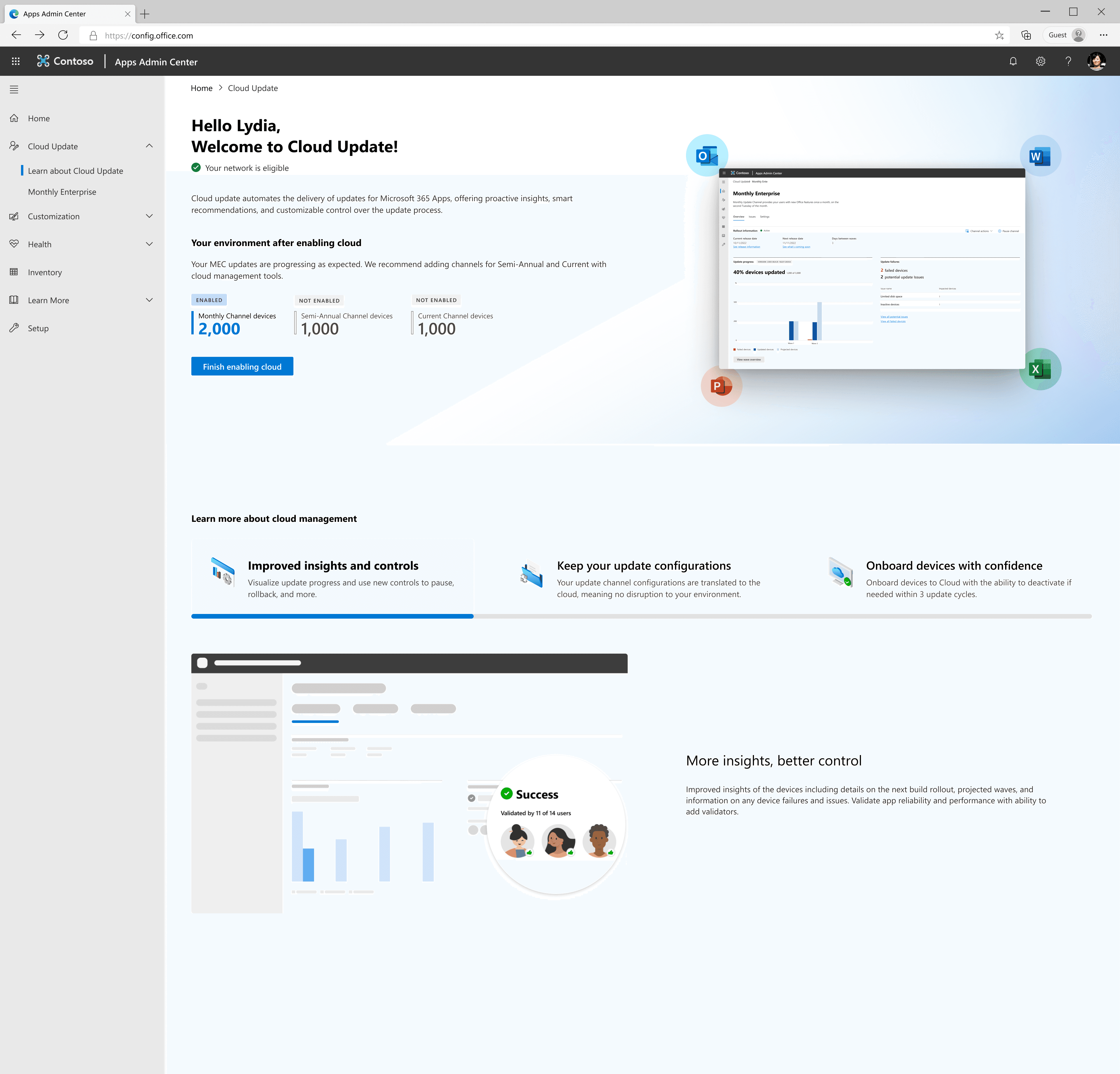
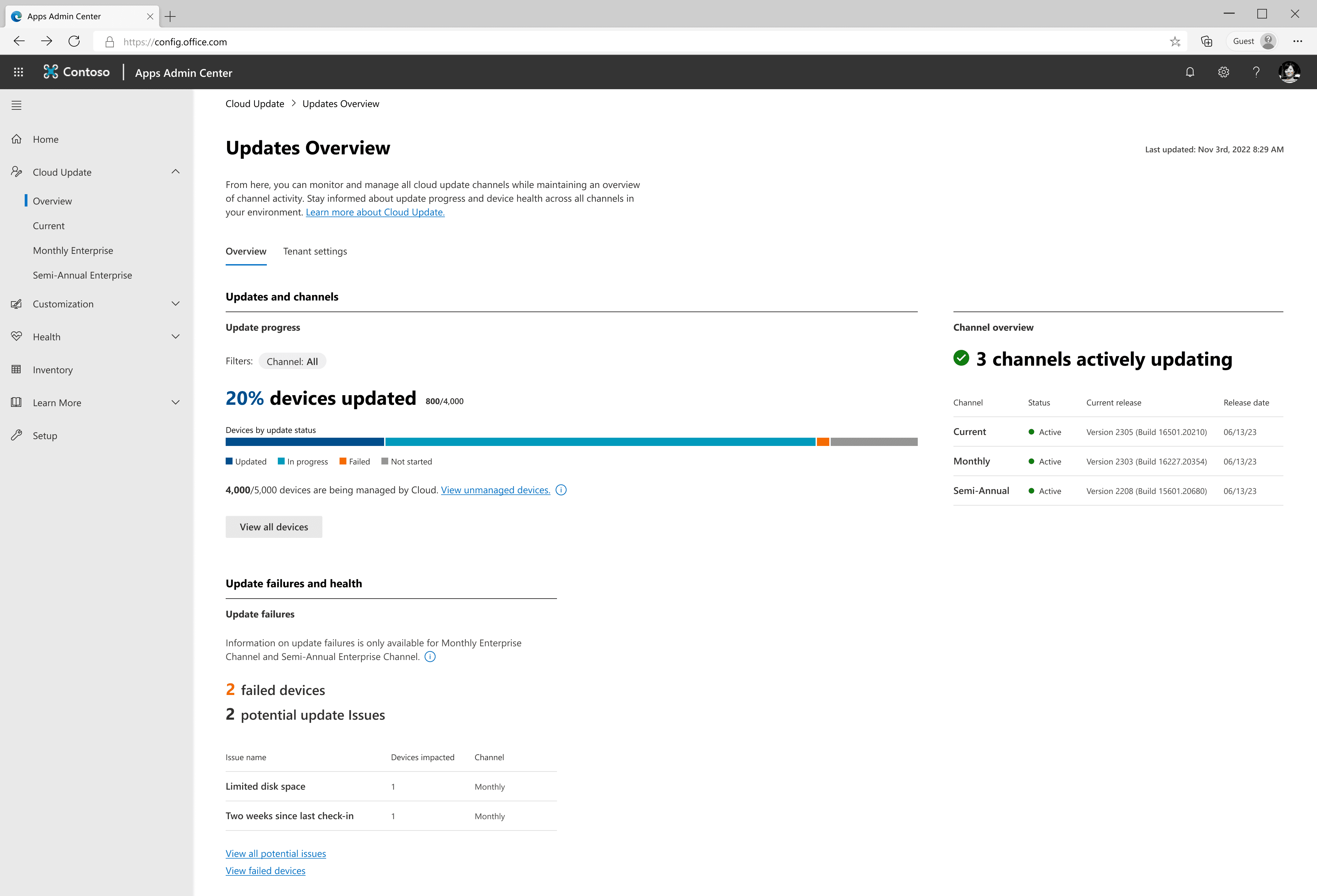
Cloud update is a powerful set controls and proactive insights, enabled through a simple one-step onboarding process. Below are its core features.
Automatic updates
The right controls to confidently automate updates, delivering faster feature and security updates.
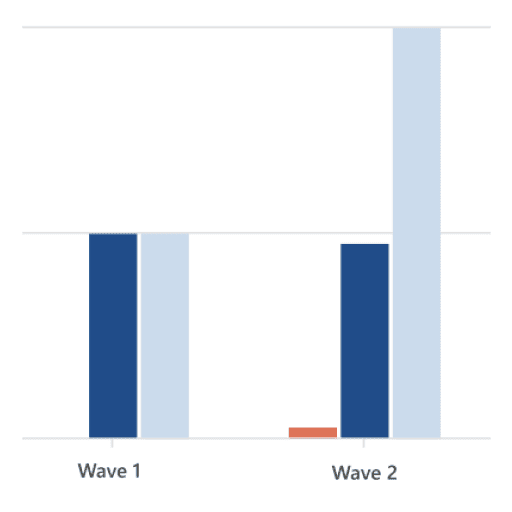
Insights into admin environment
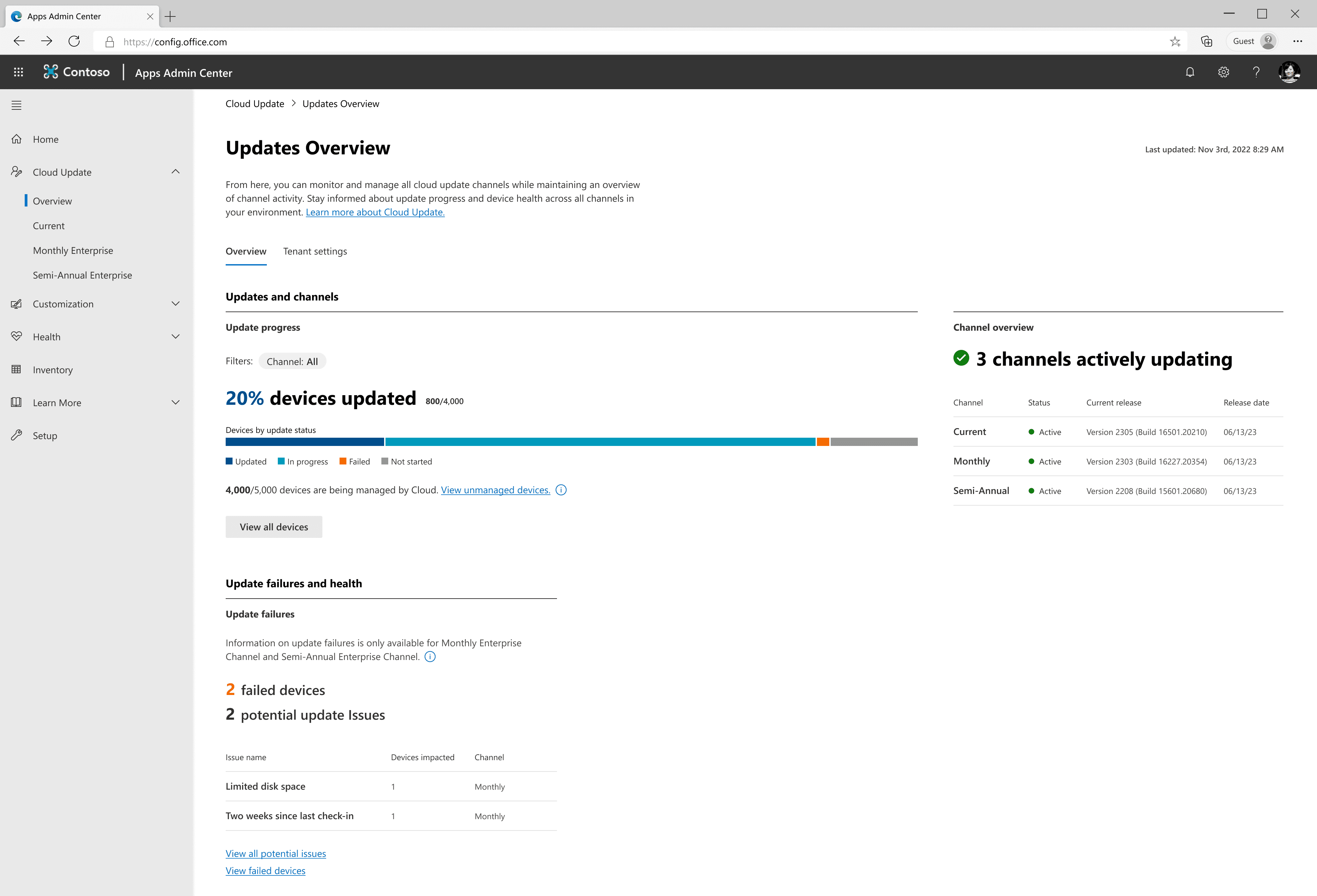
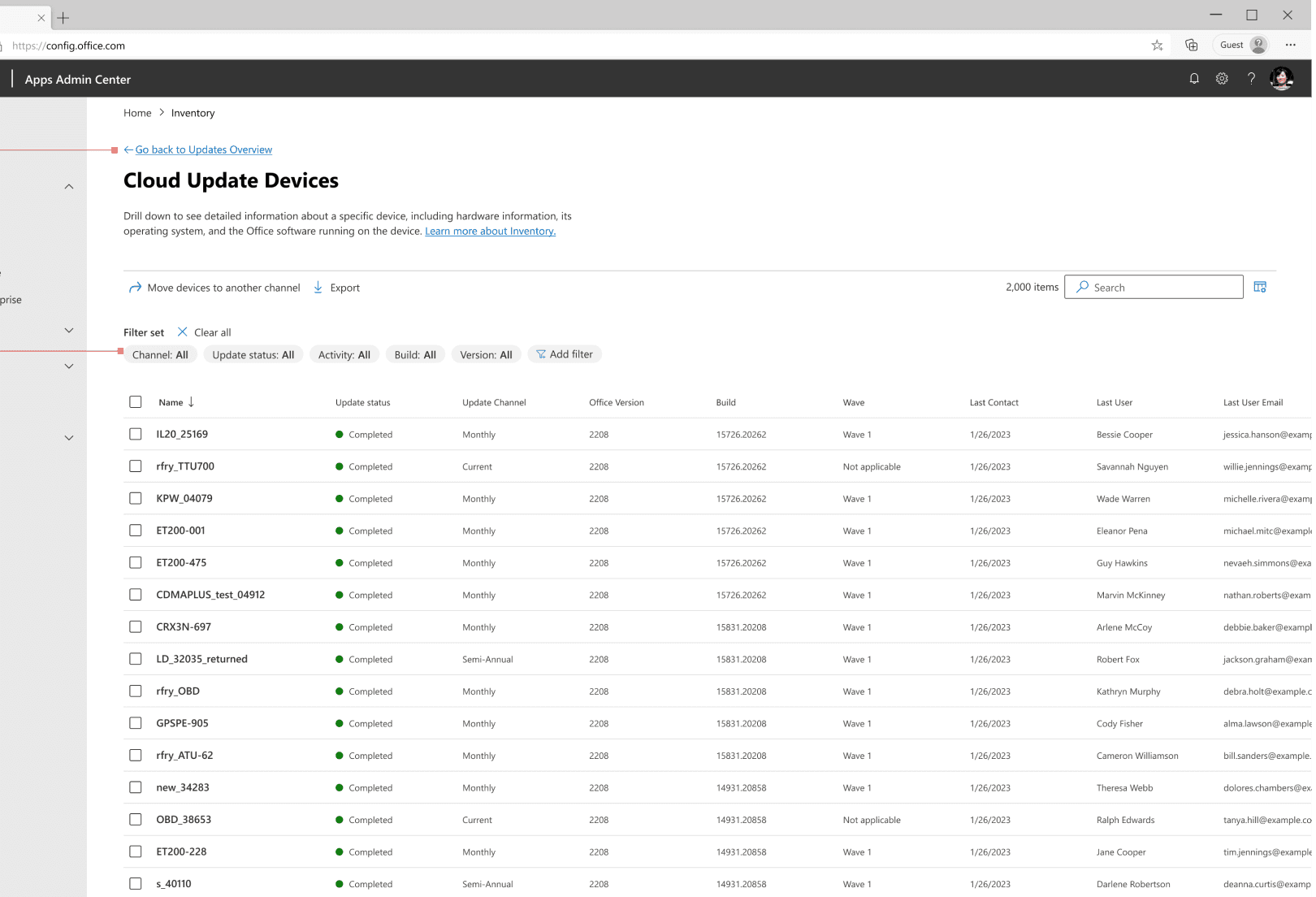
At a glance tenant level, and the ability to drill down as far as device specific data.
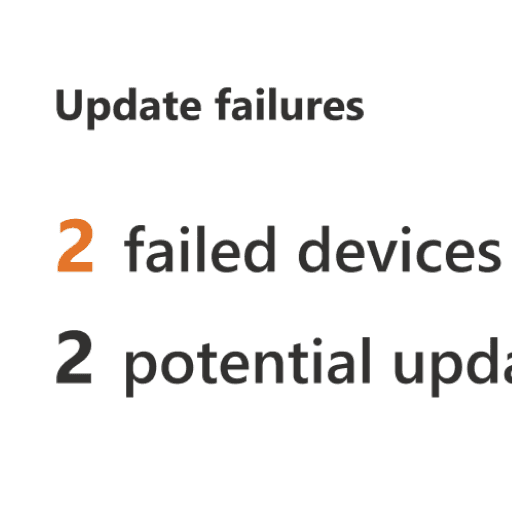
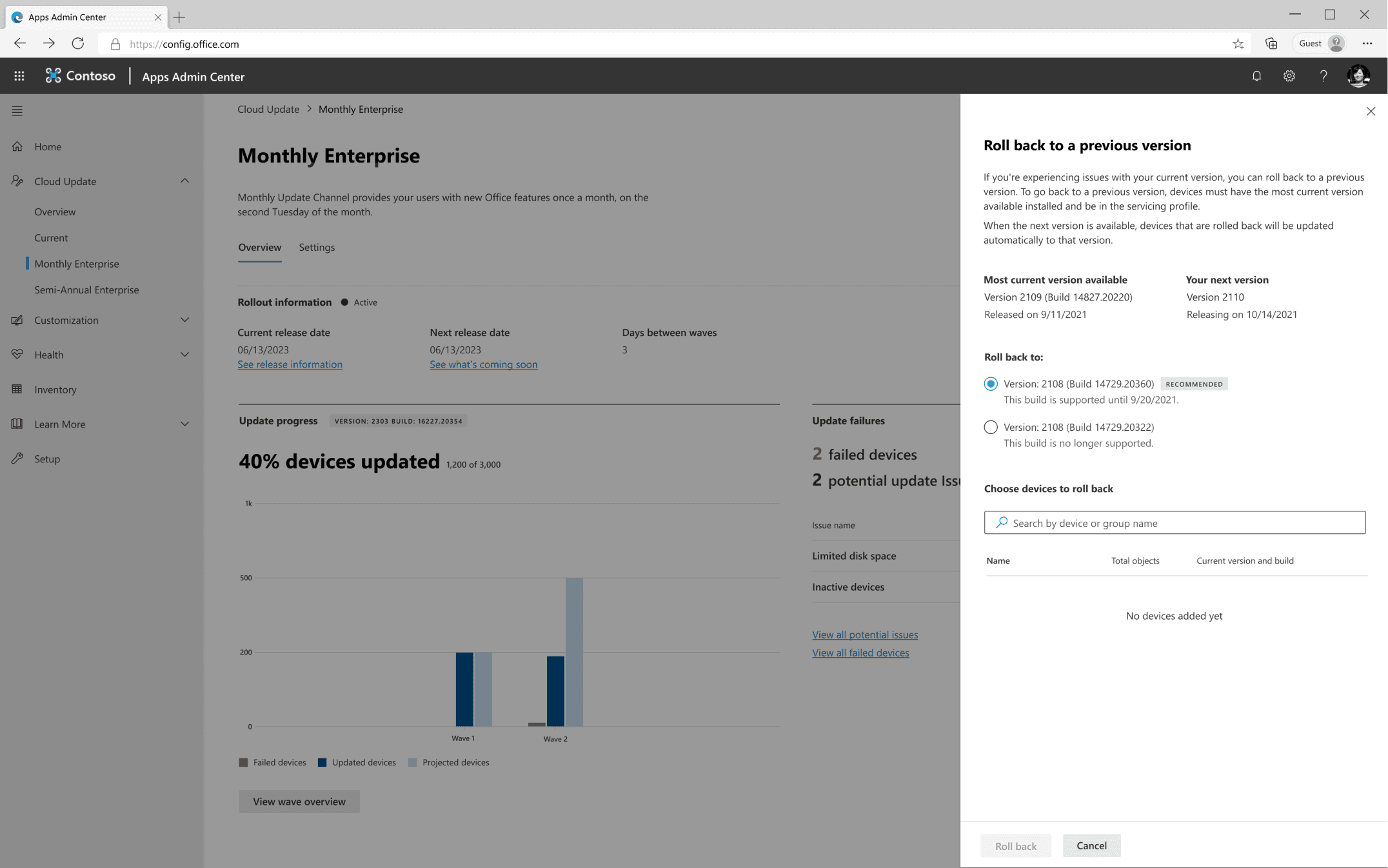
Insight into issues, the ability to rollback to best known build and more.
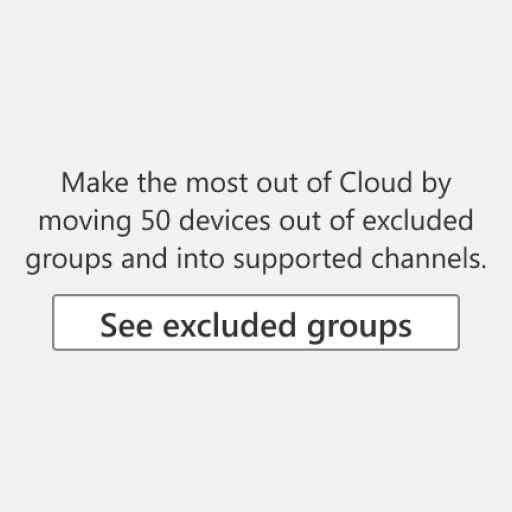
Apply recommended update strategies
Direct, actionable suggestions for best practices.
THE PROBLEM
Long update cycles
Long update cycles lead to feature and security issues. Admins want to try new releases before deploying to their users to ensure compatibility and stability. Microsoft introduced a faster update schedule but it was the same amount of work to update… just more frequently.

Manual deployment process
Here’s an example of a workflow an admin might have used to deploy a new version of M365 apps to their users – this is only the deployment process, not even piloting or validating! It's compared to the Cloud Update solution at the end.
Problem summary
Synthesized through admin interviews, pre-existing research, subject matter experts, partner team consultation, and business constraints, the main problems are as follows:
Manual work
Before, updating was tedious, and error prone.
No visibility into environment
Admins lack insights and reporting tools for updates.
Lack of admin controls
No good way to control to do essential tasks.
INITIAL DIRECTION
Where to start?
When I started on this project, my team was just beginning on the first version of Cloud update, then called the even more esoteric “servicing profile”. The model differed significantly than where it would arrive, and we learned a lot as we delivered experiences to admins, received feedback, and balanced them with our own business goals.
Principles and philosophy
Grounded in user insights and business requirements, these design principles helped align the PM team, designers and engineers. This was essential to begin the work and to continue to use as a reference.
Create confidence by allowing admins to keep the same structure of their current environment, or accept some recommended changes.
Simplify language and decision making. Reduce number of decisions at the beginning and allow customization later in the product journey. Align language with intent.
Instill confidence by allowing admins to reverse major decisions, including moving to the new update tool (and make sure they know this).
Admins like following Microsoft recommendations if it suits them. Educate admins on important benefits and changes to help guide decisions for customizing their environment.
Establish the workflows
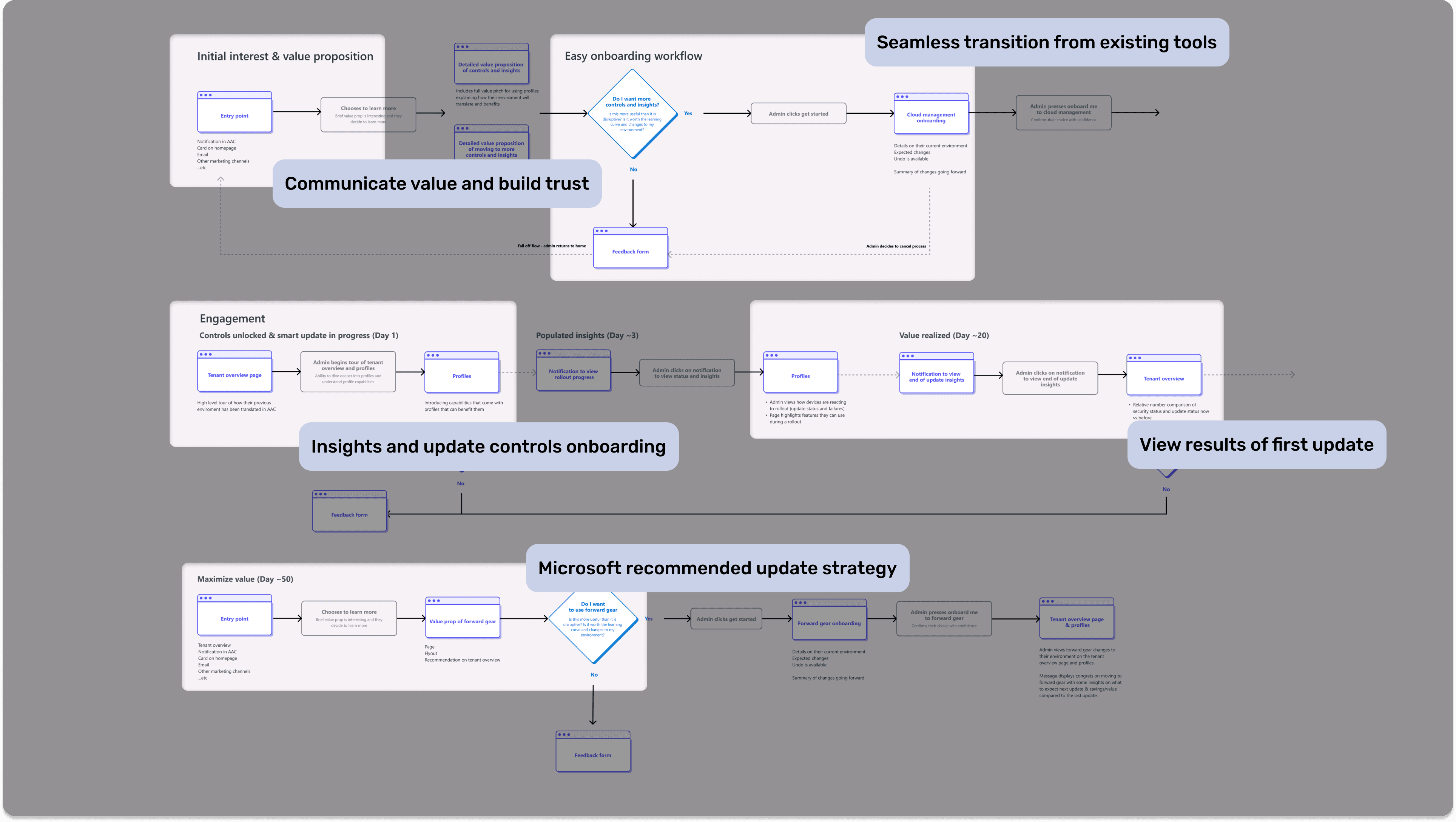
Every iteration of this project saw a user flow (there were many). These served to align PM, engineering, and other designers. I spent countless hours leading the creation of these artifacts with the team — to ensure we understood what our goals were before designing, or changing things.
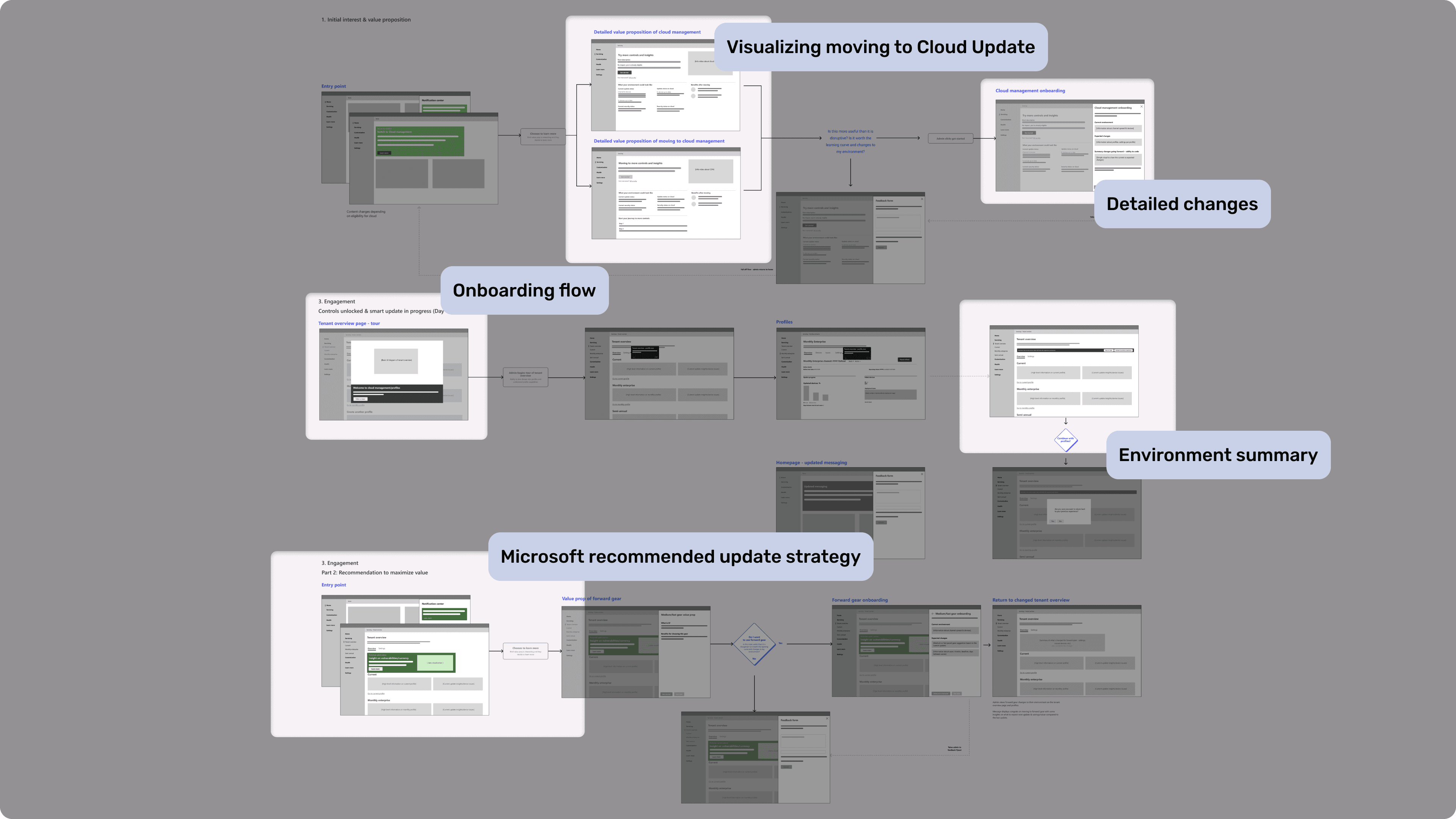
Map the data and information
I use wireframe flows to identify what data needs to be shown on each screen. By viewing a high level flow, and rough
Document the flows and accessibility
Robust definition of actions and accessibility, along with a lot of open dialogue with developers help ensure fewer gaps in implementation.
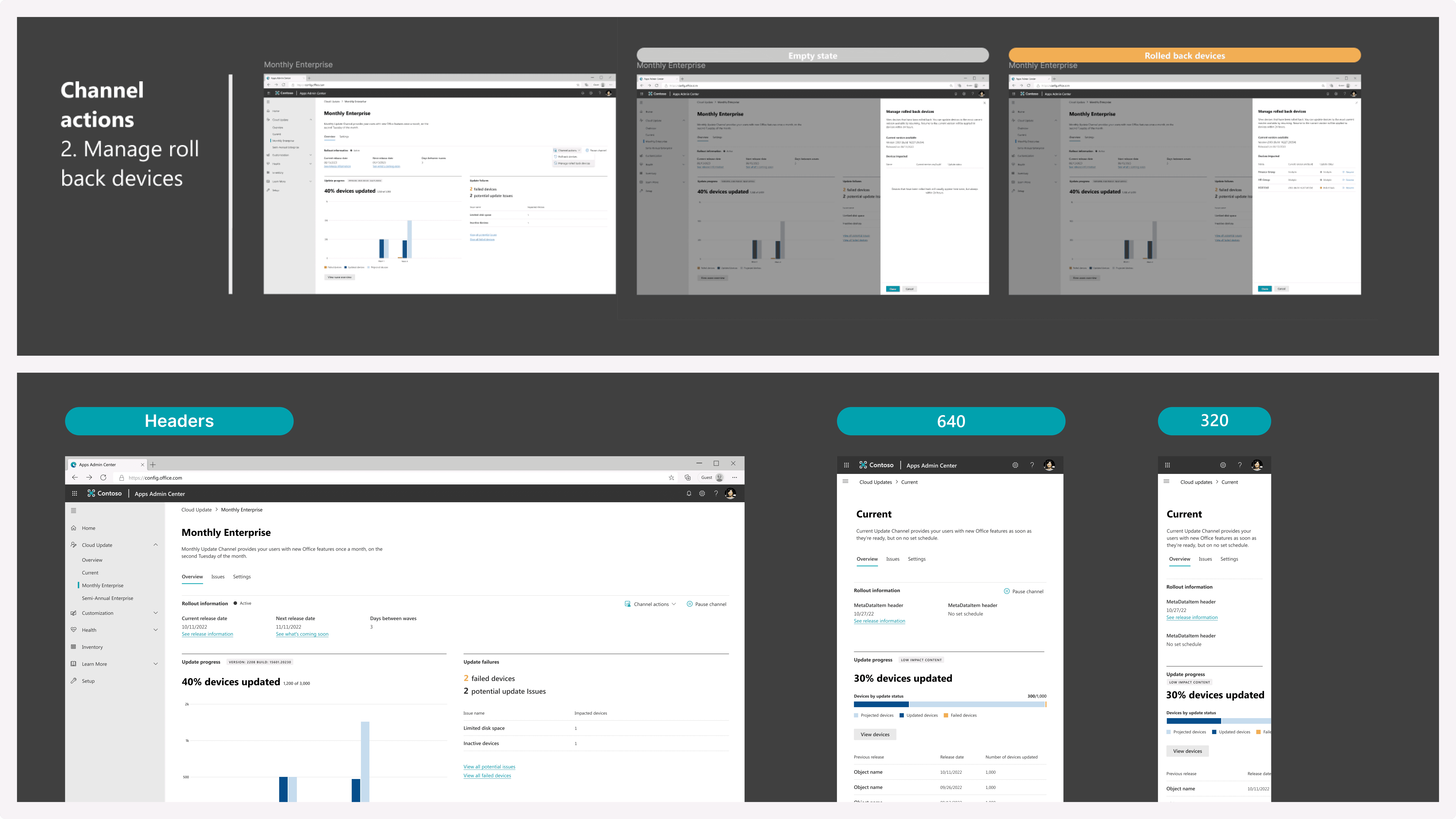
SOLUTIONS
Solving the problems
I worked with another designer for the Cloud update part of this project. As a lead, I set direction, strategy, worked closely with a more junior designer to create the final designs.
Another challenge has been that a total of 6 designers have been responsible for work inside Apps Admin Center, and most have touched Cloud updates.
Visibility into environment
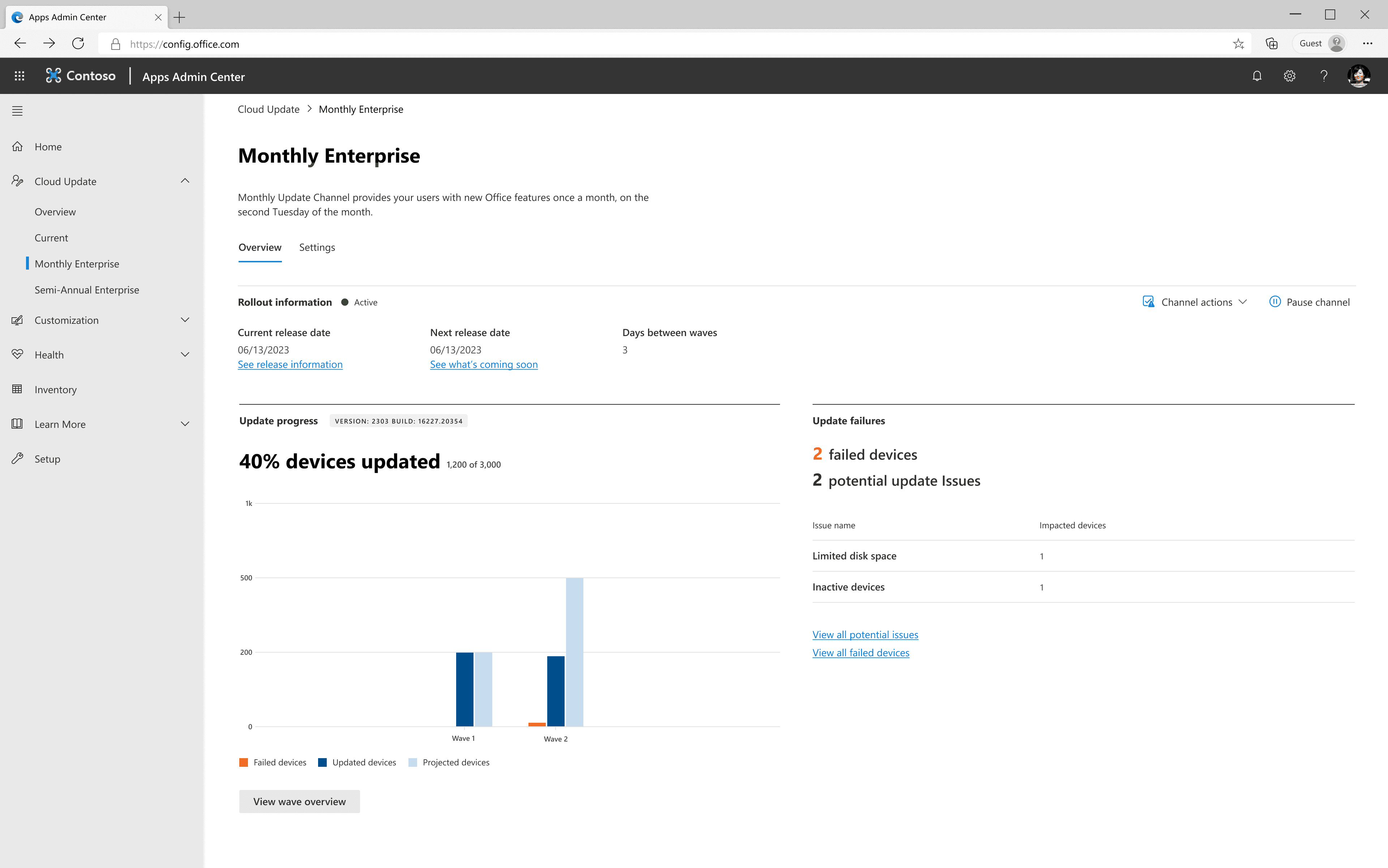
Admin’s mental models differ than how we treat the features on an individual level. While we treat functionality on a channel by channel basis, admins think about their environment holistically – requiring an IA that supports this.
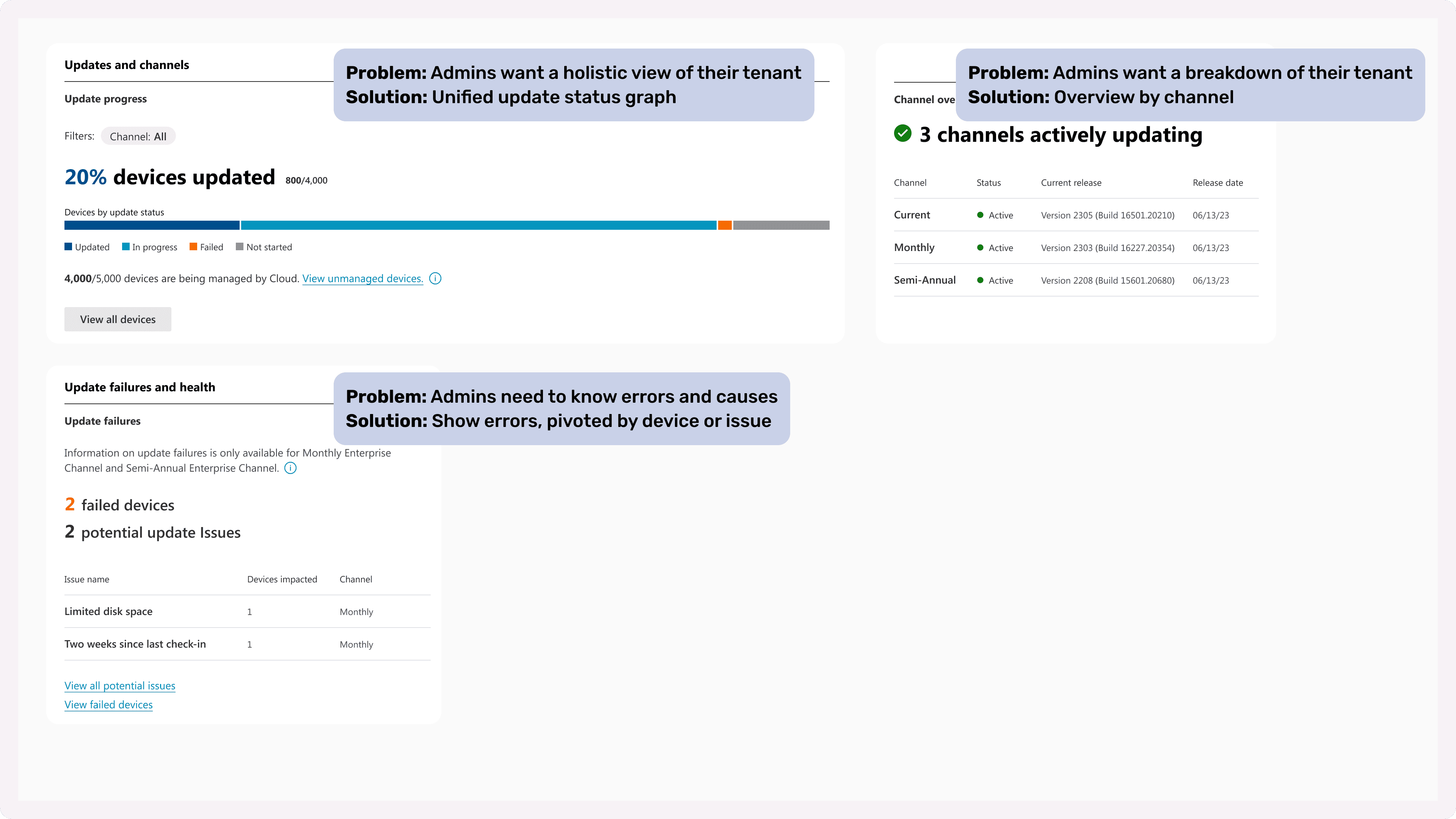
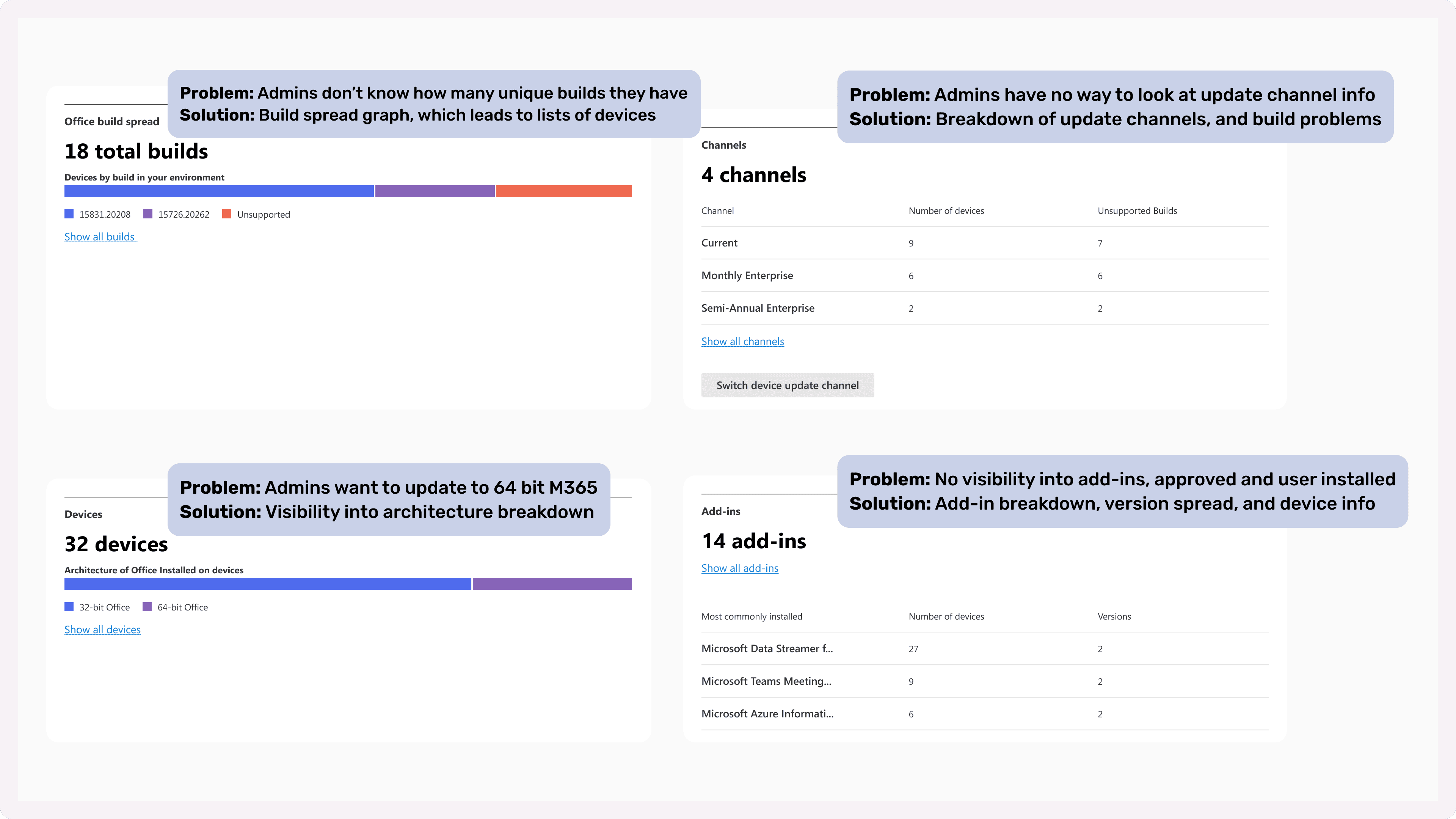
The tools for confident automation
Admins’ conservative nature makes environment disruption incredibly hard to sell. They are used to having manual tools at their disposal to, say, prevent updates to Excel from being issued to the financial department during tax season.
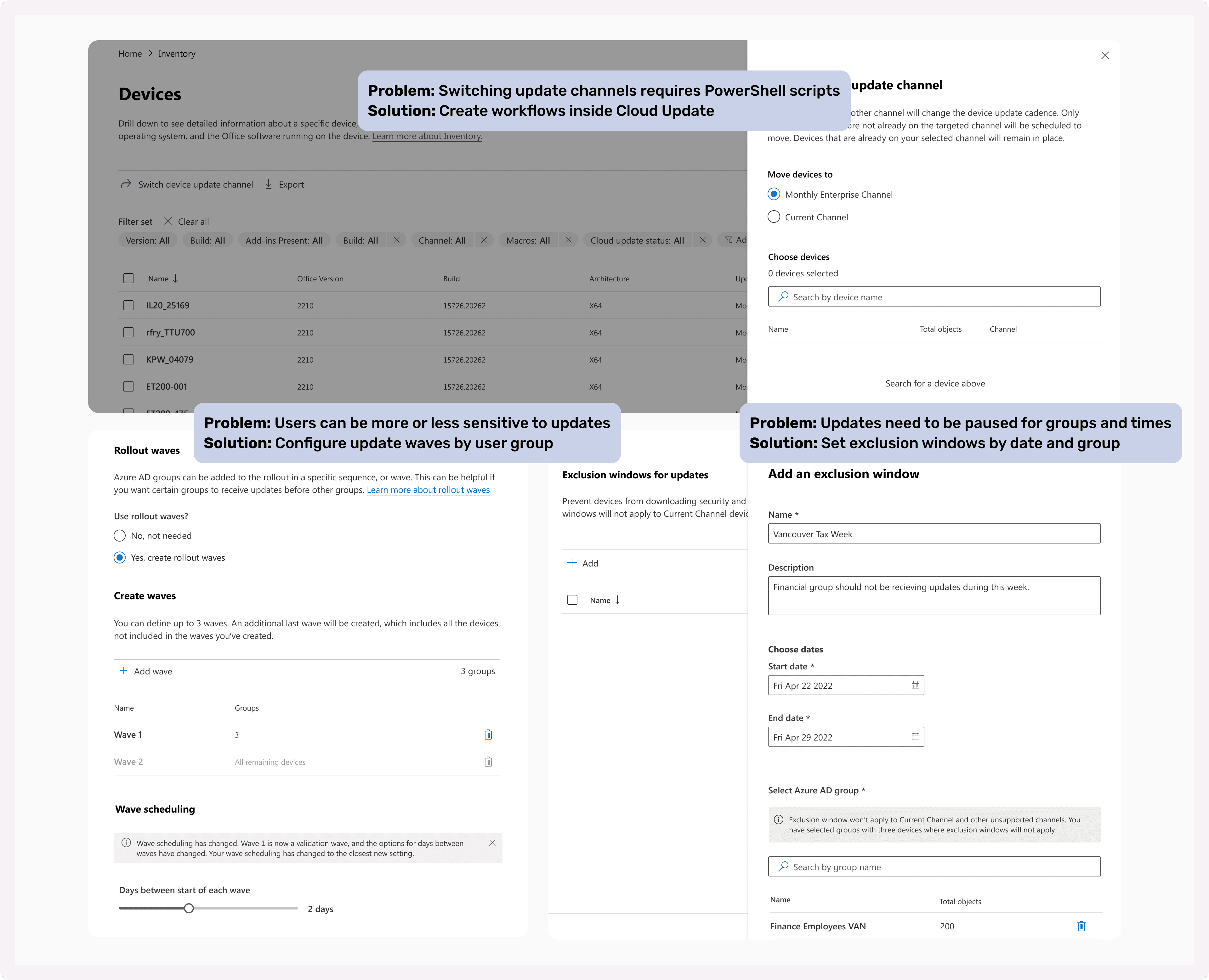
Admin controls
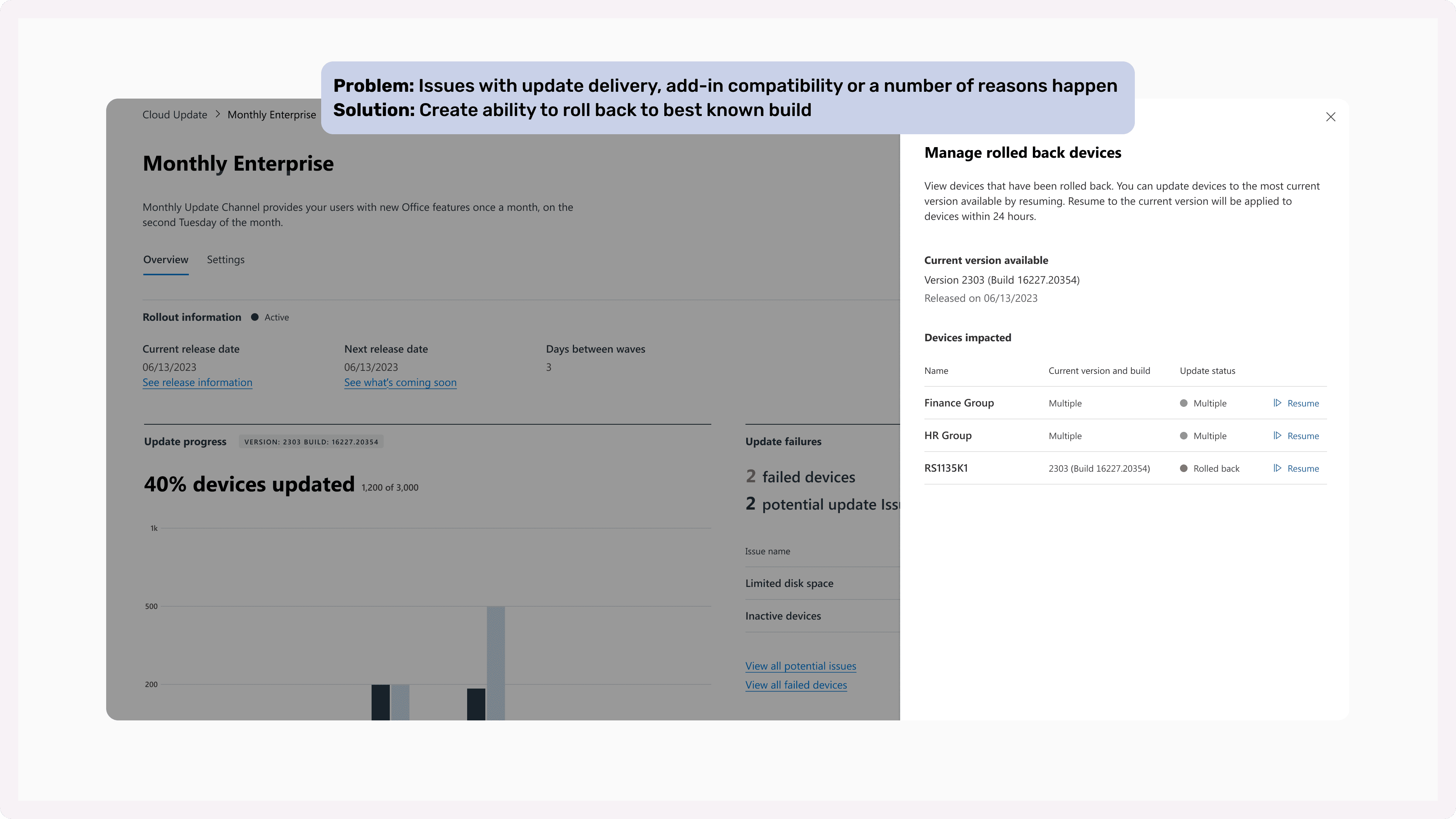
What if, for any reason, I need to send devices back to a previous build? It's usually not Microsoft's fault, but sometimes there's a problematic third party add-in. Sometimes that add-in is really important to keep using!
Impact
Along with the success described in numbers, the customer response has been great. Here are those figures again and thoughts from key customers.
Results
23 million
total devices managed
98%
cloud update devices more up to date
67,000
admins using cloud update
Customer feedback
“[Before cloud update] our office patching was all over the place – we still have 2013 out there. We have been able to [update faster] and we are now going to heavily rely on it.”
“This is exactly what we need and at the right moment... [Some tasks were] a lot harder to do, taking a lot more time and energy the old way before we had cloud update!”
Let's keep the conversation going! Ask me…
How did I translate this entire experience to Microsoft Endpoint Manager?